I have disabled my windows 8 lock screen but i would like to disable logging in altogether so that windows 8 automatically logs me in. If it is possible to disable lock screen, see here, then i'm sure there has to be a way of disabling logging in altogether but i don't just know how to. Can anyone help?
Asked
Active
Viewed 1.2k times


3 Answers
11
Press Win + R and enter:
netplwiz
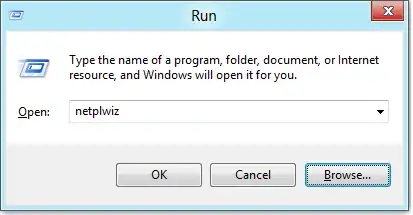
Uncheck the Users must enter a user name and password to use this computer check box and then hit apply.

This will bring up a dialog which will ask for your password, enter it and hit OK.

When you restart your PC next, you should be automatically logged in.

wow
- 1,693
1
Start the User Accounts settings by running netplwiz (Win + R). Uncheck the box
Users must enter a user name and password to use this computer


Caleb Jares
- 2,639
0
On a related note if you need to enable auto logon on windows server - you need to set the following registry values. (This answer assumes that you are aware of the security concerns with enabling the auto logon on a server and still want to do it.)
Under HKLM\software\Microsoft\Windows NT\CurrentVersion\winLogon key, set following reg values (all REG_SZ) 1. AutoAdminLogon 1 2. DefaultUserName 3. DefaultPassword 4. DefaultDomainName (for workground - I see this getting set to machine name)
restart the server. You can refer details here. While link is for win2k server but it seems to be applicable to winserver 2012 also.

Sushil
- 101