How can one import a Monero wallet via Private Keys (from mymonero.com / moneroaddress.org for example) into the GUI wallet? Is there a possible way via Private Spend- and View-Key?
Asked
Active
Viewed 2.0k times


1 Answers
15
Importing a wallet from MyMonero into monero-wallet-gui is easy.
Follow these Steps:
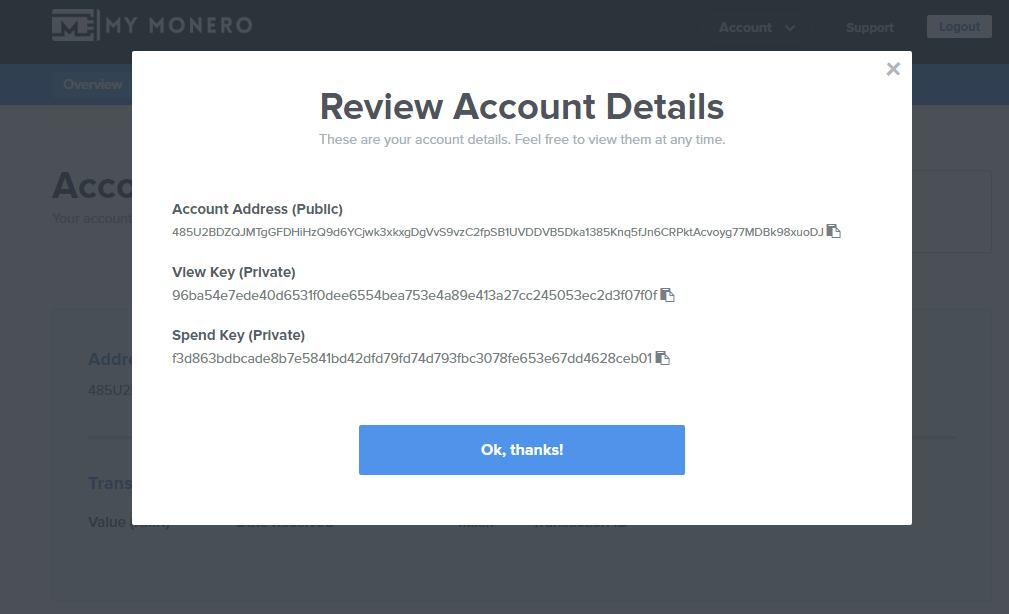
- Go to mymonero.com, access your account and navigate to Account Details. it will look like this:
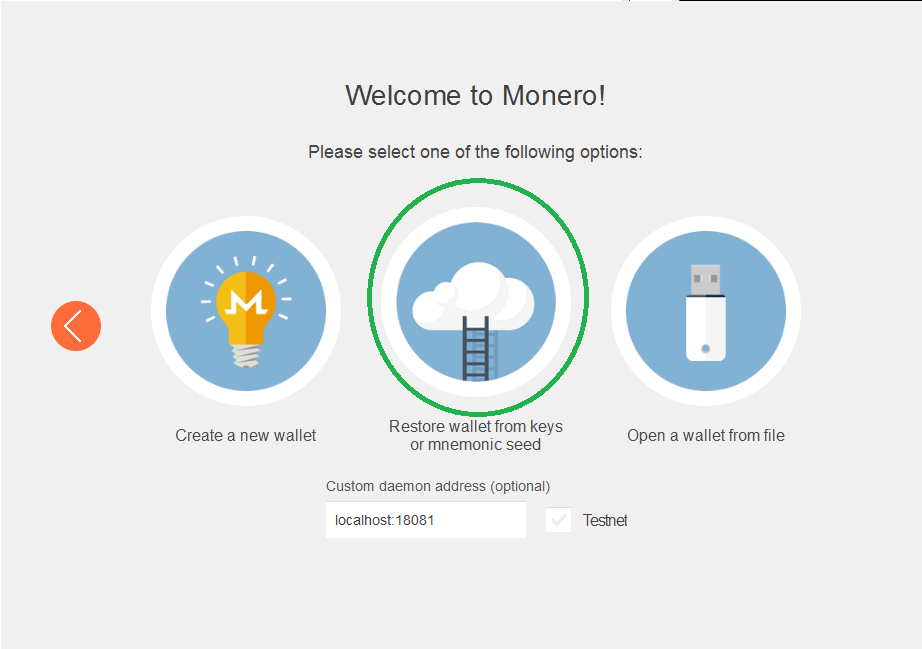
- Open Monero-wallet-gui and choose the 2nd Option:
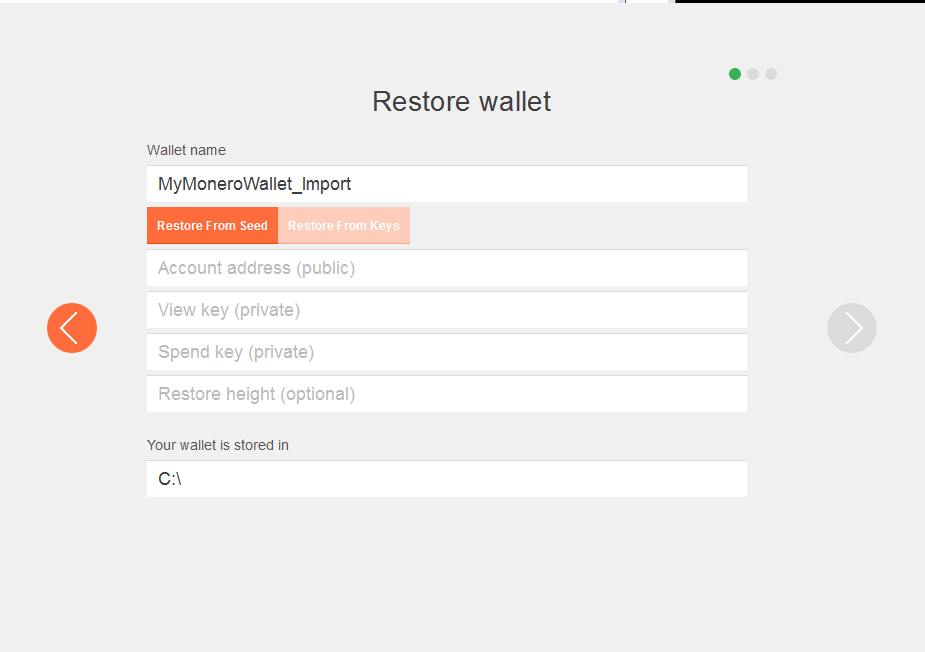
- Now Enter you Account Details from mymonero.com. As
Restore height, use the height of the first transaction to your wallet minus 20k. Thus, if the first transaction to your wallet was included in block1350000, use1330000as restore height. You can check the height of the first transaction to your wallet by entering the transaction ID / hash in a block explorer like, for instance, XMRchain.
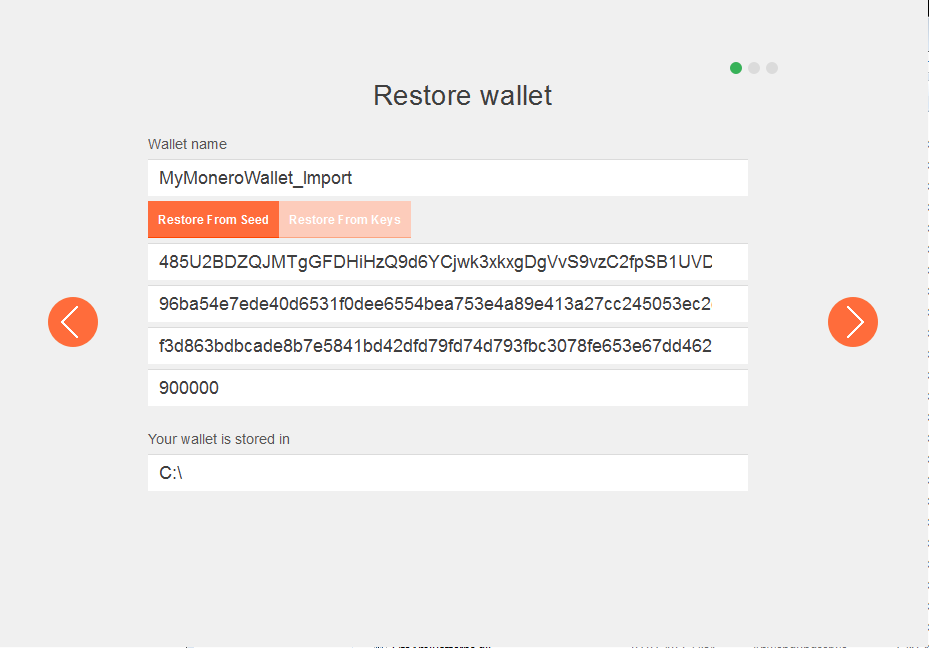
Now you can click the Next Button and set a password for your wallet.
On the next page, click "use monero" and you are ready to go.
Please Note:
- If you only use your Private View Key, a View-only wallet will be created.
- This Feature is only available in monero-wallet-gui beta 2 and higher.
- You need to sync up with the network so you can see your transactions and balance.
- If you want to use a remote node, use this guide.
