1

So basically I've been having a problem with my Micro+. It will not level / calibrate itself and I can't fix it. The reason I'm here is that I've been using Cura, and somehow it destroyed my bed. (See image)
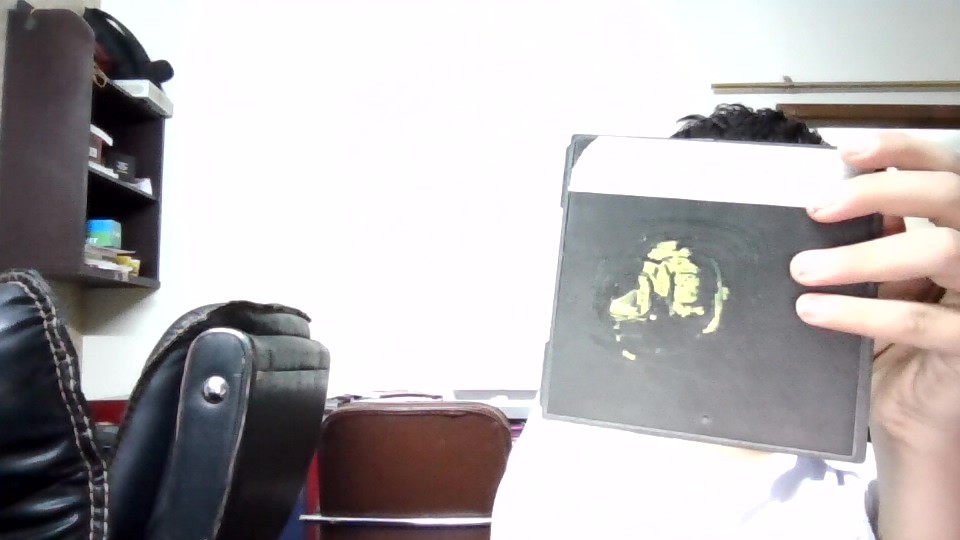
print bed for Micro +

I would like to know how to get it off, as I tried freezing, scraping and sandpaper


To clarify some things:

  • The material is PLA,
  • bed is made of plastic.

My build plate surface got destroyed after trying to use Cura, which sliced wrong and engraved the print into my bed.

0scar
  • 37,708
  • 12
  • 68
  • 156
Dcybroz
  • 70
  • 7

4 Answers4

2

If you have tried every trick to remove the print, you probably need to replace the build surface. If the PLA is "engraved" into the build surface, your surface is damaged anyways, just replace the surface, or remove the top surface and buy a sheet of glass, preferably borosilicate.

0scar
  • 37,708
  • 12
  • 68
  • 156
2

Once a time, it was the same with me, I sanded the surface well and continued for a while without any problems. The only problem was the sand pattern that was always visible in the bottom of models and finally I upgraded the bed to PEI sheet.

user30878
  • 106
  • 7
2

Print a filled square 2 layers thick over the whole surface of the bed and then peel off when it's still warm, so that it may take away also the previous deposits.

FarO
  • 4,610
  • 21
  • 39
2

You can try putting it in the oven at 100 °C and then peeling it off. At that temperature it's soft as cheese.

0scar
  • 37,708
  • 12
  • 68
  • 156
Hacky
  • 866
  • 4
  • 11