How can we deploy both angular and api projects(6.0) in single solution to single azure web app? In Visual studio 2022, we have stand alone angular template option to create an angular project. If I am adding a .net 6 api also to this same solution, how can we deploy both in single web app?
Asked
Active
Viewed 1,327 times
0

-
Could you please share the code which you have tried ? – Harshitha Nov 07 '22 at 05:42
-
https://learn.microsoft.com/en-us/visualstudio/javascript/tutorial-asp-net-core-with-angular?view=vs-2022 is the link I followed to create this. – benz Nov 10 '22 at 09:03
-
Are you getting any error ? – Harshitha Nov 10 '22 at 09:05
-
Unable to find project information for .es project error is coming while building api project after adding reference to angular project. – benz Nov 10 '22 at 10:24
1 Answers
2
Check the below steps to deploy .NETCORE 6 Web API and Angular Application into the same Azure App Service.
In VS, Create a blank project and name it as
AngularAPI.
In the blank project, Add the new Project
.Net CORE Web APIand name it asCoreAPI.
Add another project with name
Angularand delete all the folders exceptDependenciesandConnected Services.
Now in the project named
Angularwe need to add and configure the Angular components.Open the command prompt, navigate to the
Angularfolder and run the below command to createnew angular app.
ng new angapp
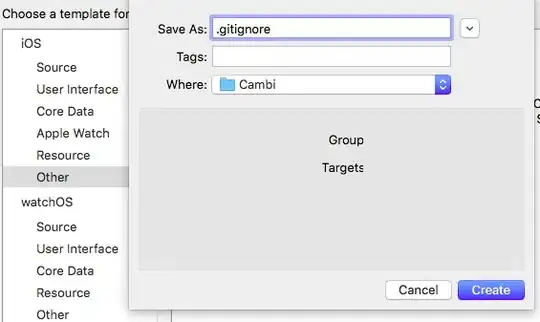
- Navigate to the newly created
angappfolder and run the below command.
ng serve --open
Open
angular.jsonfile and change theoutputpath to"outputPath": "../../CoreAPI/wwwroot".In command prompt, Run
ng build.
wwwrootfolder will be created inCoreAPIproject folder.
In .NetCore WebAPI App, add the below lines of code in
Program.csfile.
app.Use(async (context, next) =>
{
    await next();
    if (context.Response.StatusCode == 404 && !Path.HasExtension(context.Request.Path.Value))
    {
        context.Request.Path = "/index.html";
        await next();
    }
});
app.UseDefaultFiles();
app.UseStaticFiles();
Set
CoreAPIas Startup project. Run the app locally. Able to run both Angular and .Net Core API in the same port.

Right click on the
CoreAPI(.NetCore Web API App) folder and click onPublishto deploy the Application toAzure App Service.
Output of Deployed Azure App :

Harshitha
- 3,784
- 2
- 4
- 9