1

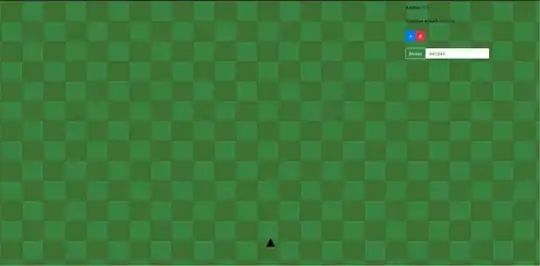
Im working on a project that will be like a game (like gta v) minimap, but to track the user's movement over a field. The field is a 2K image, and the user is represented by a black triangle. But the triangle is positionated on the bottom of the field, not the center. And to rotate the background (as the user turns) I'm using the code from this answer's post: Bryan Field's answer, it works perfect, but the anchor's rotation is on center, I wanna this to be on the triangle, but I can't figure it out the maths to do it (in a way to not break the background image bounds). The triangle position is (canvas.width/2, canvas.height-100) and the rotation's anchor is in (canvas.width/2, canvas.height/2). Here's a screenshoot:
screenshoot

DiegoB
  • 57
  • 1
  • 8

1 Answers1

1

const ctx = document.querySelector('canvas').getContext('2d');
const mapImage = new Image();
mapImage.onload = start;
mapImage.src = 'https://upload.wikimedia.org/wikipedia/commons/thumb/a/ab/Map_of_the_Battle_of_the_Somme%2C_1916.svg/1568px-Map_of_the_Battle_of_the_Somme%2C_1916.svg.png';

// wedge pointing left
const playerPath = new Path2D();
playerPath.lineTo(15, 0);
playerPath.lineTo(-15, 10);
playerPath.lineTo(-15, -10);
playerPath.closePath();

function start() {
  const keys = {};
  const player = {
    x: mapImage.width / 2,
    y: mapImage.height / 2,
    turnVel: Math.PI / 2,  // 1/4 turn per second
    dir: -Math.PI / 2,
    vel: 10,  // 10 units per second
  };
  
  let then = 0;
  function render(now) {
    now *= 0.001; // convert to seconds
    const deltaTime = now - then;
    then = now;
    
    resizeCanvasToDisplaySize(ctx.canvas);
    ctx.clearRect(0, 0, ctx.canvas.width, ctx.canvas.height);
    
    let turnDir = 0;
    if (keys[37]) {
      turnDir = -1;
    } else if (keys[39]) {
      turnDir = 1;
    }
    player.dir += player.turnVel * turnDir * deltaTime;
      
    player.x += Math.cos(player.dir) * player.vel * deltaTime;
    player.y += Math.sin(player.dir) * player.vel * deltaTime;
 
    ctx.save();
    {
      // move origin to bottom center of canvas
      ctx.translate(ctx.canvas.width / 2, ctx.canvas.height * 0.9);
    
      ctx.save();
      {
        // rotate origin opposite of player
        // the -Math.PI/2 is because the code above adding the direction
        // to the velocity has dir = 0 meaning going east. 
        // We want to face up the map. Up is -Math.PI/2
        // so when going up we need the rotation here to be 0. (not rotated)
        ctx.rotate(-player.dir - Math.PI/ 2);
        
        // move origin based on player's position
        ctx.translate(-player.x, -player.y);
      
        ctx.drawImage(mapImage, 0, 0);

        // draw enemies or targets here. They are in map coordinates
        // example
        ctx.fillStyle = 'red';
        for (let y = 0; y < mapImage.height; y += 200) {
          for (let x = 0; x < mapImage.width; x += 200) {
            ctx.save();
            {
              ctx.translate(x, y);
              ctx.rotate(Math.atan2(player.y - y, player.x - x));
              ctx.fill(playerPath);
            }
            ctx.restore();
          }
        }
      } 
      ctx.restore();  // origin back at bottom center of canvas
      
      // draw Player
      ctx.save();
      {
        ctx.rotate(-Math.PI / 2);  // because the player's shape points left
        ctx.fillStyle = 'black';
        ctx.fill(playerPath);
      }
      ctx.restore();
    }
    ctx.restore();  // origin back at top left corner of canvas
    
    requestAnimationFrame(render);
  }
  requestAnimationFrame(render);
  
  window.addEventListener('keydown', (e) => {
    keys[e.keyCode] = true;
  });
  window.addEventListener('keyup', (e) => {
    keys[e.keyCode] = false;
  });
  
  function resizeCanvasToDisplaySize(canvas) {
    const width = canvas.clientWidth;
    const height = canvas.clientHeight;
    const needResize = canvas.width !== width || canvas.height !== height;
    if (needResize) {
      canvas.width = width;
      canvas.height = height;
    }
    return needResize;
  }
}
body { margin: 0; }
canvas { width: 100vw; height: 100vh; display: block; }
#info {
  position: absolute;
  left: 1em;
  top: 1em;
  color: white;
  background: rgba(0, 0, 0, 0.5);
  padding: 0.5em;
}
<canvas></canvas>
<div id="info">use cursor left/right</div>

Note: it might be better to skip ctx.save and ctx.restore and instead use ctx.setTransform for speed.

gman
  • 100,619
  • 31
  • 269
  • 393
  • Im analyzing this code for days now, but i can't understand several things about it. As it seems almost exactly what I need I'll ask you buddy. 1 - Why are so many brackets inside render function? Didn't knew that type of syntax on JS. 2 - In my project is not an animation what I need, its moving the background on demand, passing through new triangle "x, y" coordinates (as a cartesian axis). How can I adapt the code to it. 3 - What to do when reachs the border of the image, in this code just pass it through the edge to the white. Can i repeat the tile when that happen? – DiegoB Sep 05 '19 at 21:53
  • 1. The extra parens are just style. I used them to mark when I'm saving and restoring the context. Inside each pair of parens the origin of the canvas gets moved/rotated/scaled. 2. If you don't need animation remove the calls to `requestAnimationFrame`. The only inputs to drawing are player.x, player.y, and player.dir. 3. that's too big a answer for a comment, ask a new question – gman Sep 07 '19 at 04:37