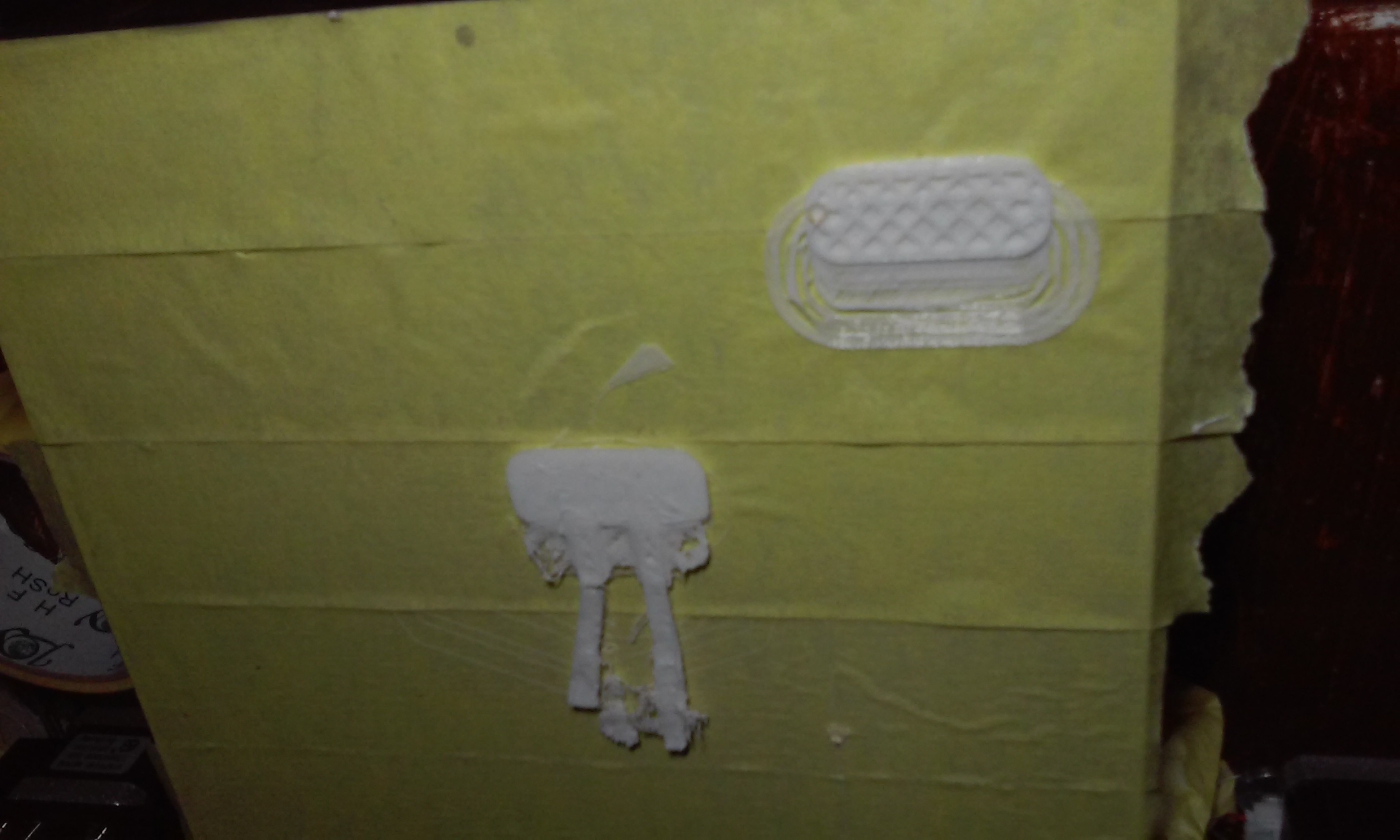
[Edit: My specific question is firmware error or standard layer shifting. using 2 different versions of Cura were getting quite different results from the same stl file.]
Per the image below with Cura 15.4 the centered print both shifted to the bottom of the print bed for the first few passes and then did not build the proper internal structure of the bracket. the top loops were then skewed to the top of the bed. The 2nd print in the corner was using Cura 3.1 and the first few passes like usual skewed off towards the bottom but it seemed to start printing normally after that. I am trying to determine if it is a hardware calibration issue or bad firmware on the printer. Any suggestions on what's going on would be appreciated. For some reason the image flipped 180° when posting.
Center part completed its print and should be about an inch or so tall. It was not even able to build the internal structure like the 2nd one had started to do. the 2nd one I stopped after about 10 min since it clearly showed different behavior. from the layer shifting links the most likely cause would be over current stepping.