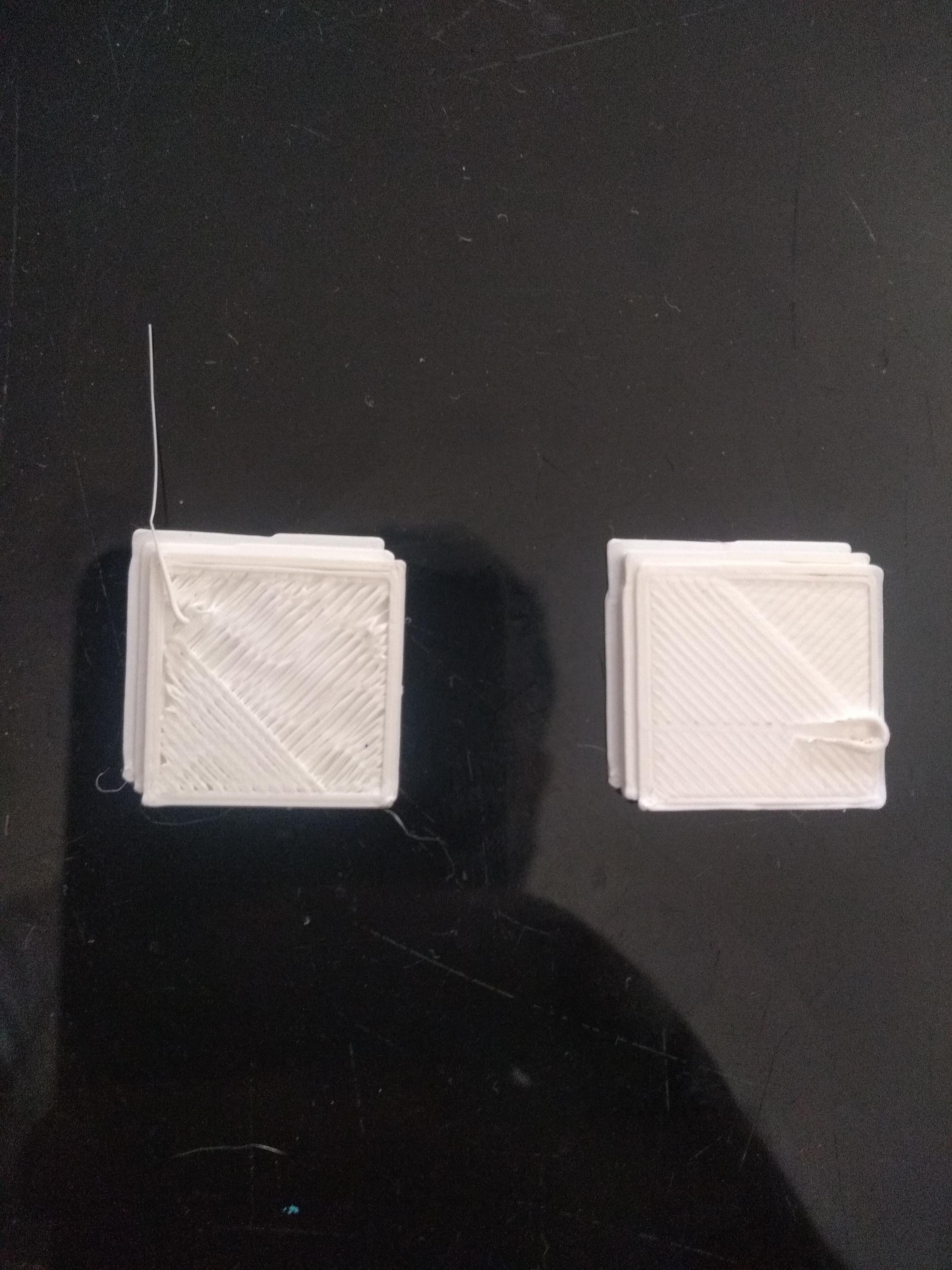
I moved a little the belt tension, and now the last layer is awful and weird. How I will know the correct tension? My printer is a custom BLV 220 x 220 x 280.
I think and I am almost sure, that this happened because the filament got a little tangled in the profile where I put the spool of it while printing, but, last week this happened, and since that moment, it has been having problems, which I am going to show and explain.
The top-left corner, after I started to change the tension belt, was worst, because the corner was more pronounced, pulling as elongated, in the image you can see a little, but it was worse the last few days.
And now, the rectangle orange, is new, because yesterday I changed the tension belt, and the last layer is like I show in the image.
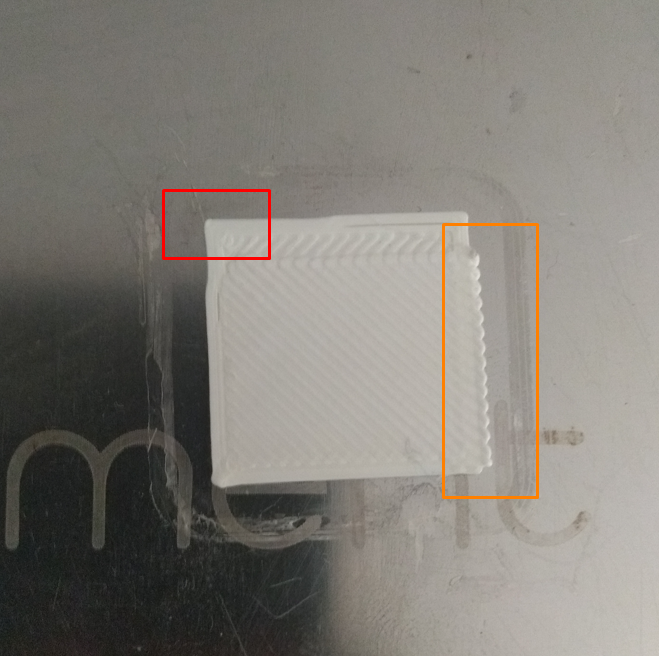
At this moment, I am testing different tension, but the result is worse.