I'm currently facing a Z banding issue that frustrates me more and more.
My printer is a modified Anycubic I3 Mega.
Customizations:
- Mainboard: Bigtreetech SKR 1.4 Turbo
- Stepper Drivers: TMC 2208 v3
- Hotend: E3D Titan Aero
- Hotbed: 5 mm aluminum base plate with a 200 W 12 V silicon heat mat and 3 mm hard paper as print base
- External MOSFETs for the hotbed and hotend each
- Bigtreetech 3.5 inch TFT screen as display
- BL Touch sensor
- Marlin version 2.0.6.1
What I tried to fix this issue:
- check leadscrews for debris
- cleaned leadscrews and applied new grease
- checked Z couplers and hand tightened all screws
- checked tightness of the Y/X axis belts
- increased the driver current
- replaced the 12 V 25 A PSU with a 12 V 30 A PSU
- Extruder steps re-calibration
- PID auto tune for hotend and bed
Pictures of the XYZ calibration cubes I printed:
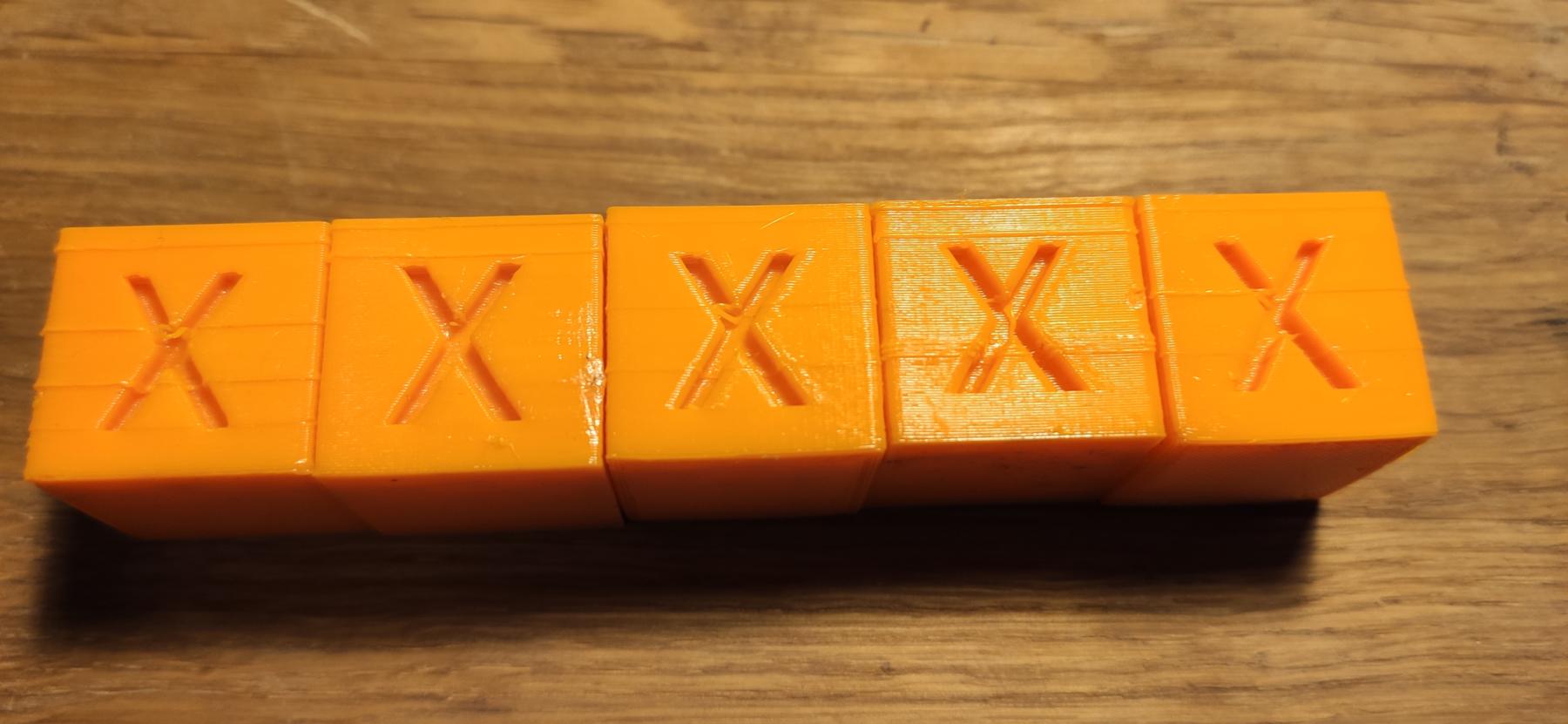
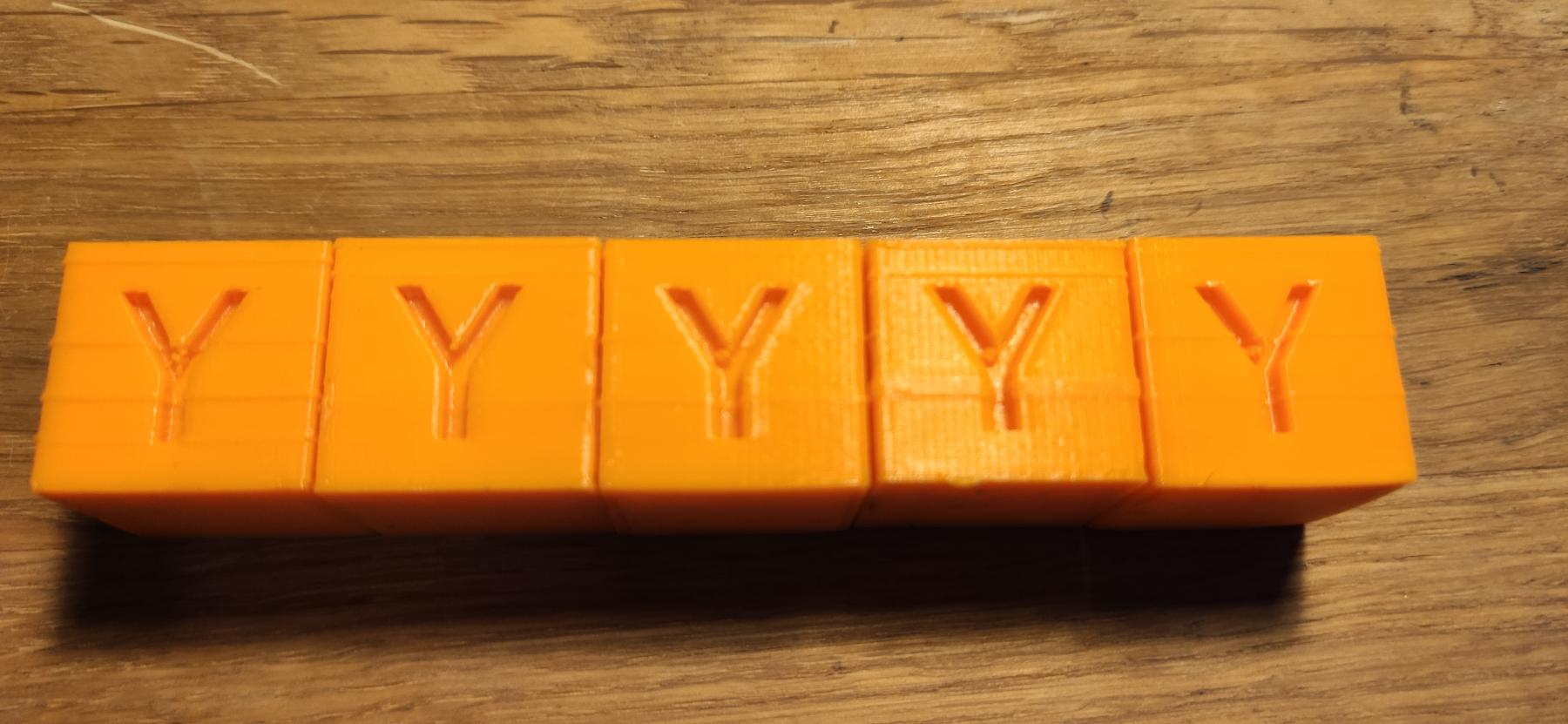
Used slicer parameters (Prusa Slicer):
- material: PETG
- 240 °C / 100 °C hotend/bed
- Infill 30 % with 60 mm/s
- outer perimeter with 30 mm/s
- 100 mm/s travel speed
- 1 mm retraction with 40 mm/s retraction speed
The number of these horizontal lines and their occurrence is different on each print.
Any ideas?

