You are probably looking for something like this:
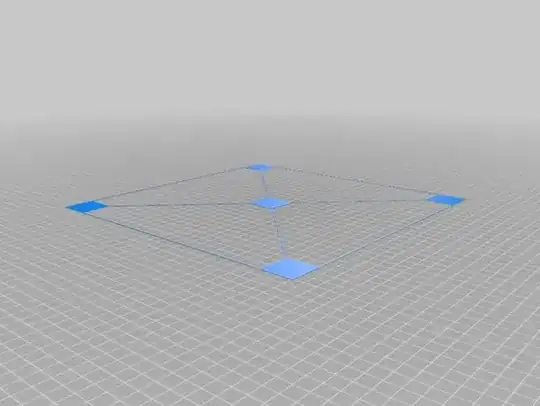
Note this is for large beds (300 x 300 mm), so you would have to X, Y scale this in your slicer.
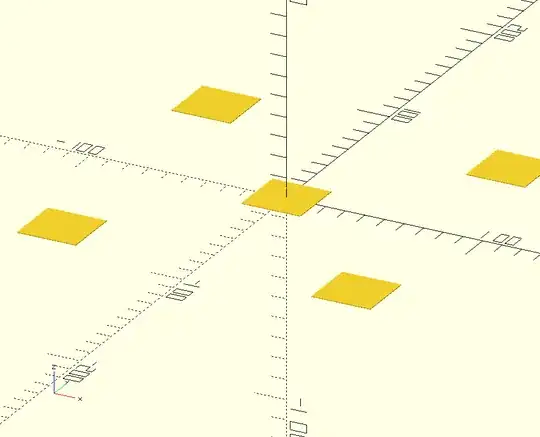
This is a simple part that is very easily generated with OpenSCAD 3D design software (very good modeller if you are familiar with software coding), but could easily been designed in any other tool.
Another leveling and centering print that is created with OpenSCAD is this, and could be a start for you to create your own design:

Note that the file with the design is located in the "files" section.
Edit:
Some code for OpenSCAD made within 5 minutes (I don't type fast so it could have been faster if I did not use the constants, but if you go OpenSCAD, making parametric designs is almost a must ;) ):
// Set constants as you like
width = 30;
depth = 30;
layer_height = 0.2;
first_layer_height = 0.2;
nr_of_layers = 2;
box_size = 180;

// Calculated parameters
height = first_layer_height + (nr_of_layers - 1) * layer_height;

// Draw the test object
translate([-width/2, -depth/2,0]){
  // Draw the center square
  cube(size = [width, depth, height], center = false);
  // Draw the corner squares
  for (x=[-1:2:1]){
    for (y=[-1:2:1]){
      translate([x * (box_size-width)/2, y * (box_size-depth)/2, 0])
        cube(size = [width, depth, height], center = false);
    }
  }
}
Rendered figure: