4

I want to put relief text on curved surface but can't find way to do that in OpenSCAD. I'm aware it's possible to bend text in Blender and then import stl, but I don't like this workflow. I found sort of working solution but it's not perfect.

$fn=50;

module bend_text(caption, angle, text_height, text_width, text_depth, steps=10, k=1) { dh = text_height / steps; r = text_height / (angle * PI / 180); h0 = - text_height / 2; translate([0, 0, -r]) rotate([angle / 2, 0, 0]) for(i=[0:steps-1]) { rotate([-i * angle/steps, 0, 0]) translate([0, -(dh * i + h0), r / k]) intersection() { linear_extrude(text_depth) text(caption, valign="center", halign="center"); translate([0, dh * i + h0, 0]) cube([text_width, dh, text_width], center=true); } } }

bend_text("test", angle=90, text_height=9, text_width=30, text_depth=1, steps=10, k=1.1);
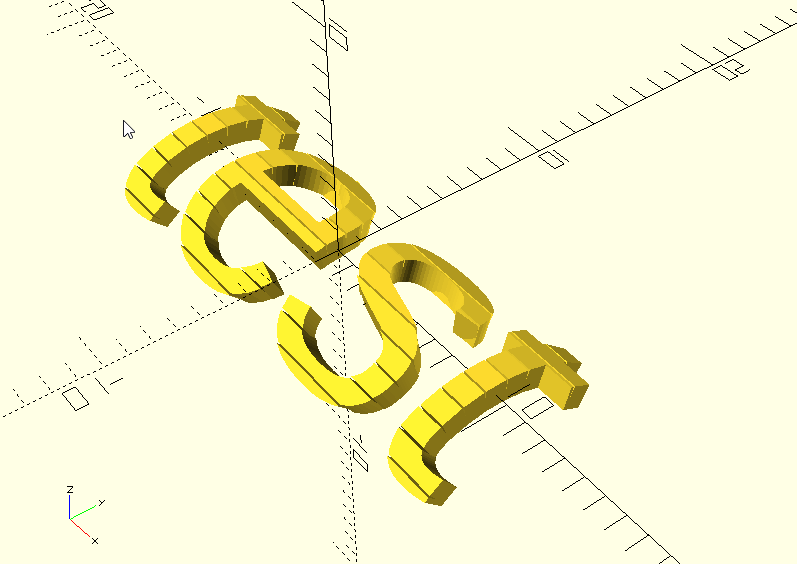
test

Is there better way?

0scar
  • 37,708
  • 12
  • 68
  • 156
mugiseyebrows
  • 143
  • 1
  • 6

3 Answers3

4

another way may be a simple intersection() (inspired by this discussion: How to a make a curved sheet (cube) in OpenSCAD?)

$fn=200;
w = 30;       // width of rectangle
h = 1;       // height of rectangle
l = 10;      // length of chord of the curve
dh = 10;           // delta height of the curve

module curve(width, height, length, dh) { r = (pow(length/2, 2) + pow(dh, 2))/(2dh); a = 2asin((length/2)/r); translate([-(r -dh), 0, -width/2]) rotate([0, 0, -a/2]) rotate_extrude(angle = a) translate([r, 0, 0]) square(size = [height, width], center = true); }

intersection(){ rotate([0,270,0]) curve(w, h, l, dh); translate([2,-3,0]) linear_extrude (height = 15) text("TEST", size = 6 ); }

before intersection final result

julien
  • 56
  • 1
3

I can't say if this is better than your method, but it is a library resource specific to your requirements.

Text_on OpenSCAD

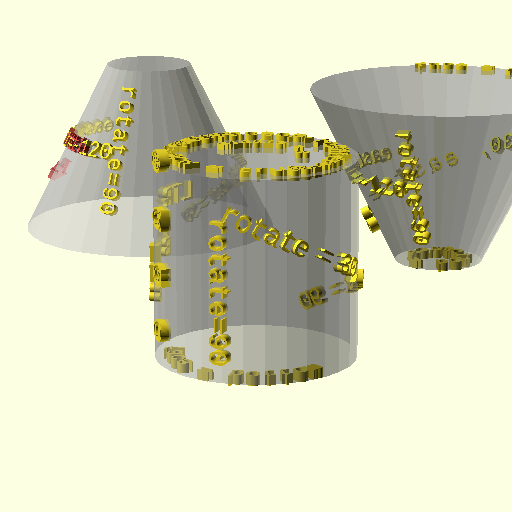
The library covers various shapes, including cylindrical:

text on cylinders

Image from linked site. Also from the site: "Only works with OpenSCAD v 2014.xx and later..."

Pursuant to the comments, another step may provide the desired result. Thinking for the cylinder primitive, once the text is placed and protruding a sufficient amount, creating a difference() with the inner cut location an appropriate distance from the primary cylinder should create curved surfaces to the text.

Envision a cylinder slightly smaller in diameter than an appropriate piece of pipe. As the pipe is lowered onto the cylinder, the text is "shaved" away. The "shaving pipe" outer diameter is insignificant, as long as it's not too thin, and the inner diameter of that pipe is dependent on the diameter of the primitive and the desired height of the curved text.

fred_dot_u
  • 12,140
  • 1
  • 13
  • 26
2

The workflow you're using is the only way I'm aware of, and it's at least respectable. You can abstract it as a module to apply to arbitrary children to make it somewhat less ugly and more reusable.

In theory, I think it should be possible to make an openscad transformation (in openscad itself, not in the scad language) that applies to arbitrary 3D objects by performing a 2D conformal map in each cross section perpendicular to a given axis, to achieve effects like this, without the possibility of breaking geometry. But I'm not aware of anyone working on that. I'll probably propose it at some point, and hopefully it won't get shot down as mathematically unsound (which it might be; I'm not sure).